The main challenge
It often happens that very small clients come to us.
Their business is very local.
They may build sites on builders like WIX, Prom.ua or Tilda.
Sites can be either full multi-page sites or landing pages, and sometimes there is simply no money for online branding.
Clearly, offering them SEO services with an average price tag from $1,000 makes no sense — their budget for all of marketing might be half that.
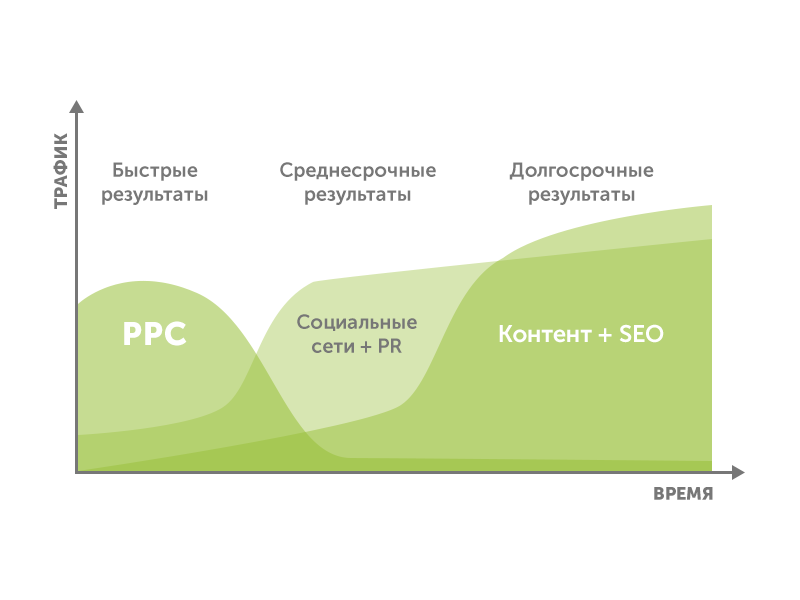
If your business is young and you have little financial cushion (i.e. money to sustain the business), we recommend investing first of all in context (paid search).

Over time it delivers good sales results.
And to most of my clients Google AdWords usually seems complicated.
Everyone says, like, Google eats money, why is it needed.
On my YouTube channel there were plenty of such comments.
And now — after watching my videos — they are a bit different!

We're going to bust this myth.
Google is a very simple way to get traffic and sales precisely for small business!
To a small business, Google Ads seems "complex" and "money-eating". The task is to build a profitable campaign from scratch on a minimal budget with zero SEO.
The approach: a 6-step system — semantics and negatives → ad texts → a conversion landing page → a search campaign → Display and remarketing, with a focus on cheap clicks and measurable conversions.
Step 1. Semantics and negative keywords
Everyone knows the ABCs of how context works.
Paid search works on a 6-step system: whether it's Google Ads or another context system doesn't matter.

Initially advertising targets a broad audience, and its goal is to draw attention to your brand, then to strengthen interest in your business and products.
At these stages, cheap ad types aimed at this customer segment work well.
These are video ads and ads in the Display Network.
Then the potential client moves on to studying your product offer.
Here the following stages take place: the purchase decision (still unknown — from you or not), comparing offers (of a specific product between competitors) and the sale itself.
At these stages, remarketing and search campaigns work well.
Not every sale will go through such a long path.
Sometimes you can catch clients on the last steps — when they "fell off".
And we'll talk about this strategy in the context of our cases.
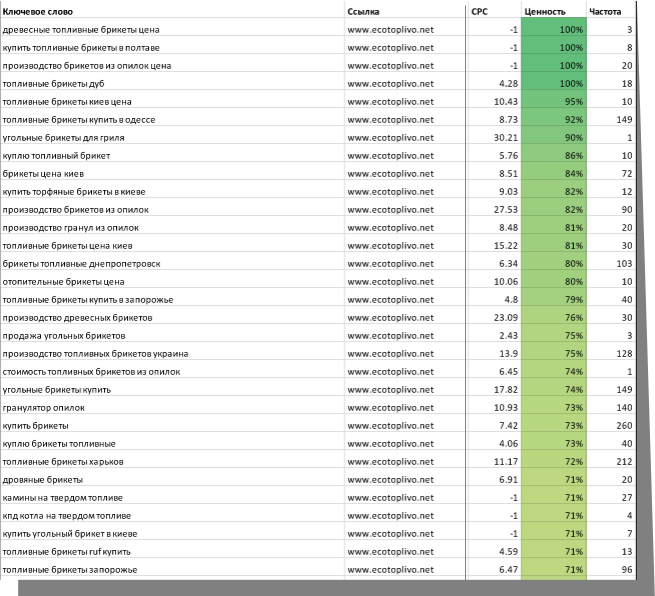
And first of all, any (search) campaign starts with collecting keywords.
Since we launch very small businesses, collecting semantics usually takes little time.
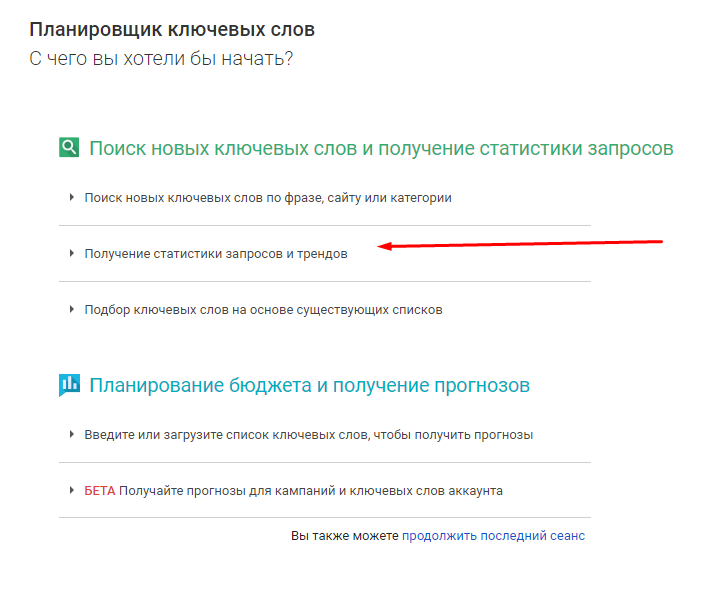
For the initial collection, a sample by competitors was made based on the keyword planner, and the most relevant variants were run through a semantics-collection tool to find search suggestions in Google.
Then, based on competition, traffic and expected conversion metrics, a basic semantic core was compiled for the so-called "hot" key queries.

But when are keywords hard to find?
For example, when you have a site and the semantics you pull out are sometimes not very targeted.
Another method I used for a small flower shop.

First I went through the site and collected all the keywords by its categories.
After that I took all the competitors' keys in ahrefs and looked at where there is traffic.
Then I supplemented the list with keywords from the keyword planner.
In the end I got a certain framework of words for which I began collecting suggestions.
For this purpose, initially I used our own keyword generator and cross-multiplied the needed words from the framework.

The utility is simple and convenient — and helps me with this every day.
The generator is completely free and available at the link.
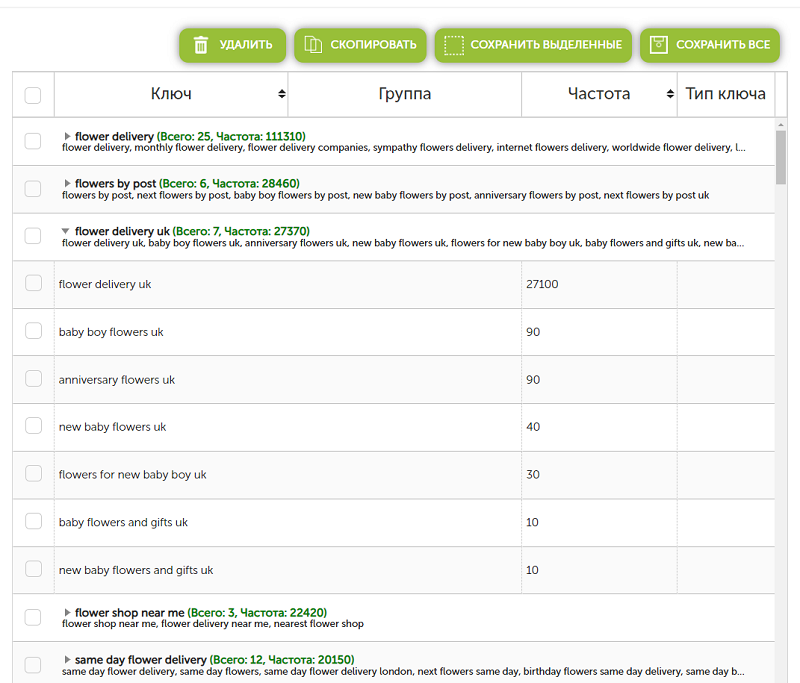
I put the ready phrases into the semantics-collection tool and took the metrics.
Along the way, for traffic-driving keywords I collected additional suggestions.
And split them by categories.

If you don't have a semantics-collection tool, you can simply put the words into the keyword planner and take the metrics.

The new planner doesn't have this functionality.
The finished result can be put into our clusterizer — and it will split the keywords into clusters by itself.

Each cluster will be split by potential traffic: the highest-traffic at the top, the lowest at the bottom.
Our clusterizer is constantly being refined, but even now it's a powerful tool for segmenting keywords for SEO and paid search!
The built-in negative-keyword functionality lets you quickly clean keys of junk.
We've also collected a huge base of negative keywords and constantly update it. Do you need the base?
Just get it for free! Write to us and we'll send it by email.
With synonyms you can fix clustering glitches and make the grouping more precise.
Results are saved online (for this be sure to register).
The service is free for now; if you need a promo code, write to me and I'll send it to your email!
You should also consider the popularity of the regional language.
For example, the Ukrainian language in Ukraine is popular mainly in the western regions.

So always collect keywords for that region into separate campaigns.
The average cost per click there can be much lower — because competition there is minimal!
The numbers speak for themselves — the difference in cost per click can differ by almost 2-4 times!

Negative keywords are words that are excluded from ad variants.
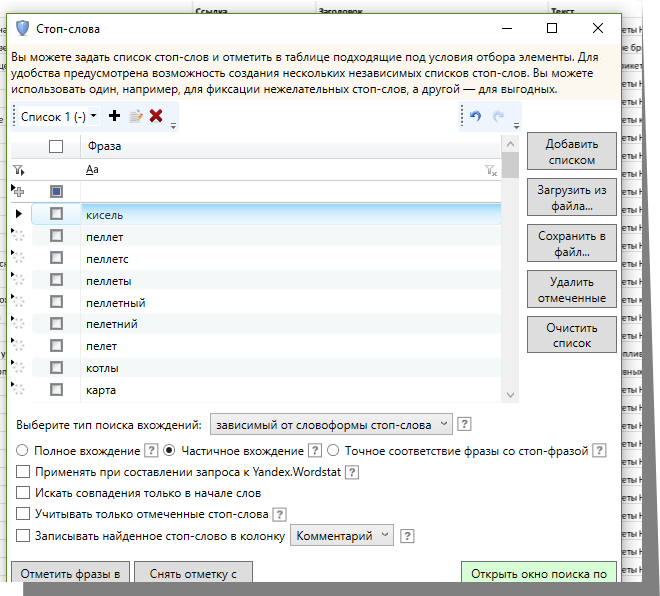
In the semantics-collection tool this is very easy to do.
Just mark the unwanted words and add them to the negative-keyword list.
Then with negatives you subtract words from already-collected queries, and you also enter the collected negatives at the campaign level in AdWords:

Usually I make several negative-keyword lists at once — by topic, for example.
In case I later need to use different lists for different campaigns.
But for such small businesses one will do.
Over several years I've collected a huge number of negative-keyword bases in both Russian and English.

From them I realized that 80% of the words repeat across different business types.
And that's why I split them into conditional lists.
And they are available to all readers of our blog.
If you want to get them, write, and I'll send them to you!
Step 2. Ad texts
Ad texts are the guarantee that you will be noticed.
It's worth knowing that a campaign's success depends precisely on the attractiveness of your ad.
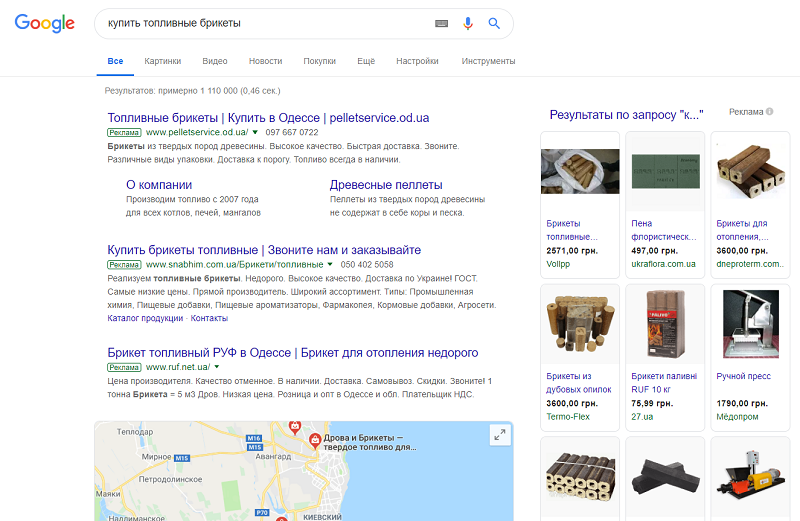
All the results for a query may already be occupied by ads!

Just look — not a single spot left for SEO results!
That is, if you were promoting such a client via SEO, you would achieve nothing for this query.
That's why it's worth paying attention to context.
If it's hard to come up with something about your client — look at competitors in the TOP.
For this, use a similar search by the client's geography and write out all the ad-text variants.
Then choose 2-3 optimal ones.
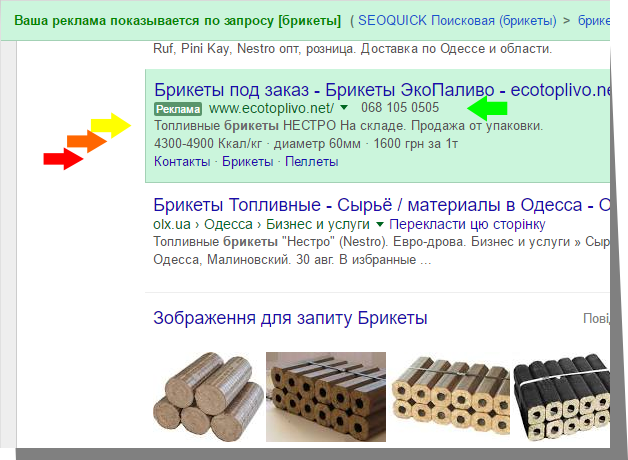
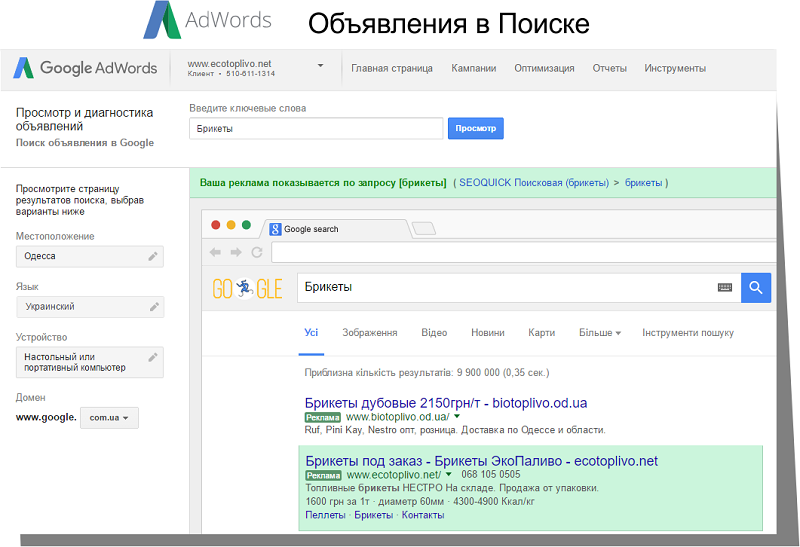
What does a 100%-filled ad look like?

It's important that in Google AdWords you also need to highlight such important items as:
- Phone number.
- A description with a unique selling proposition.
- Callouts.
- Sitelinks.
As you can see, the ad draws attention if all items are filled in.
It's advisable to think through callouts, sitelinks and descriptions together with the customer.
Recommended reading:
Step 3. Landing page and conversion setup
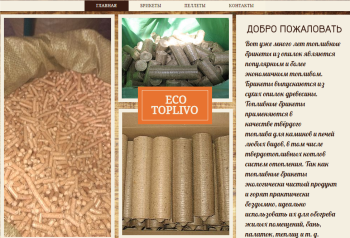
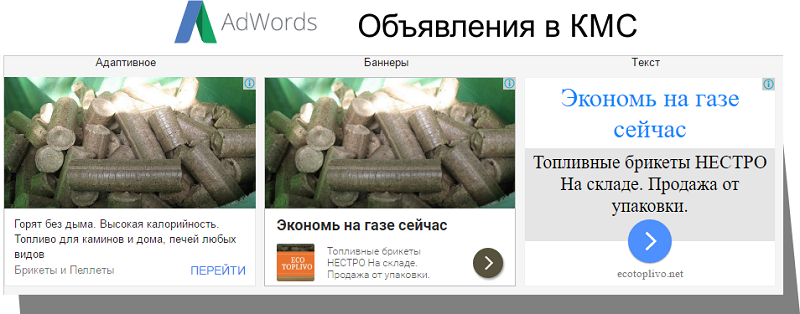
The first client we'll look at is a local business selling fuel briquettes.

The site's CMS — WIX (a builder), SEO metrics — zero.
Business type — retail and small wholesale.
A second example could be a simple site offering chimney- and boiler-flue cleaning services.

The platform — "well, where". The site is put together "on the knee".
Any attempt to convey to clients the idea that such businesses look "not great" runs into the argument "have you seen the competitors?".
It brings to mind the "good enough" meme.

We personally do not advise creating such sites — better to spend a bit more on a designer and front-end developer and make a good landing page.
For example, pages of this kind don't sell at all.

You can use a landing page if you have one service.
If you have three or four services, make a "corporate" mini-site where each service is a separate landing page.
Doubling traffic costs much more than doubling conversion.
Every fifth dialogue I have with a client usually ends with the phrase "You need a conversion landing page".
That is, it must sell.
Many people confuse landing pages and one-pagers.
But both are the same thing — commercial pages on the web where the client can clearly decide on a product or service.
These can be end products — product cards in an online store.
Or a service page with prices and a guarantee.
There's a simple ABC of creating landing pages, and I'll share it.

First of all, you need to study the competition in the market.
Just google the sites and study their offers.
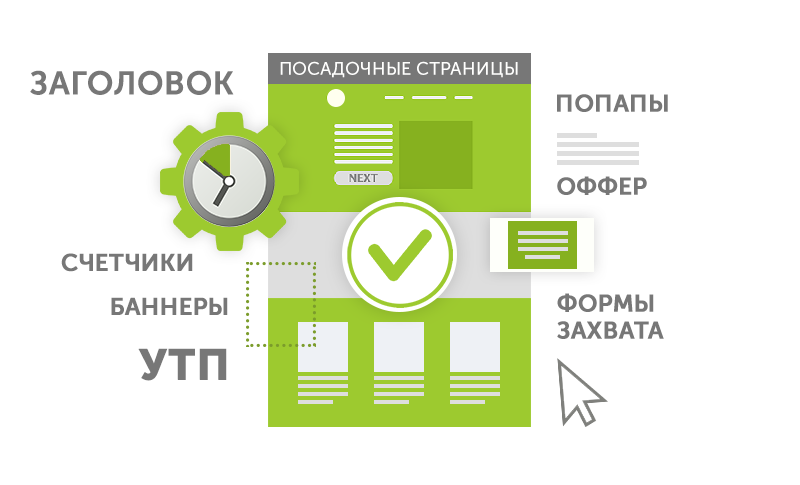
What is an offer?
An offer is the way you propose your product or service, on what terms and at what price.
An offer can be unsuccessful (if you simply sell at a disadvantage or irrelevantly) or weak (if your offer lacks that "zest").
A USP is a unique selling proposition.
It's exactly that zest of your business scheme, spelled out.
What only you offer and no one else in the market.
A USP is your immunity in the market, and your goal is to convey it to your potential audience at an attractive price.
If there are leads but no sales, then what's wrong?
But even with a great offer there can sometimes simply be no trust in your business.
Here, of course, you need to invest in branding and trust triggers.
Trust triggers are elements aimed at removing distrust of your business.
Reviews, certificates, a link to your profile in Google Business Profile / Google Maps.
After all, if there's no branded traffic — there's no trust.
So at least take the minimal actions.
Register in Google Maps.
Add the company to directories.
This won't cost you a lot of money.
Also don't forget about Call-To-Action elements.
These can be promotions, callback buttons, online chats, order buttons.
They're also called capture forms.
Capture forms are special elements on the site where a visitor can become your client by submitting a request and passing on contact and identification details.
If you assemble this puzzle, the structure of a good site usually turns out simple and follows a simple logic.

Set up goals for all capture forms.
Goals will let you identify useful visits and record requests — that is, conversions.
They can be set up in Google Analytics, and the goals themselves imported directly into Google AdWords.
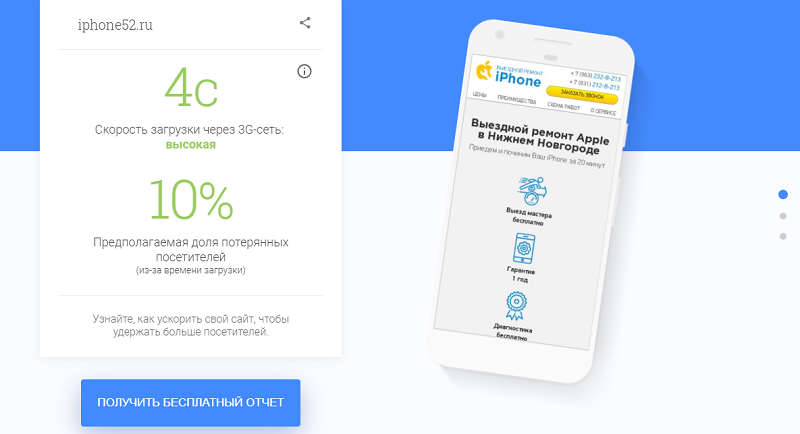
Plus, no one rules out the banal load speed.
70% of mobile operators will predominantly use 3G or 2G networks by 2020.

Meanwhile, LTE and next-generation network coverage may develop not so fast.
And load speed on mobile devices is critical.
If a site loads in 10 seconds while all competitors' sites load in 3-5 seconds, there's a likelihood that a potential client will most likely close your site without letting it load.

You can check your site with this simple utility.
And does your site look good?
If you have doubts, write to me and I'll tell you what's wrong with it.
And give recommendations on optimizing it.
Step 4. Creating a search campaign
If all the steps were passed successfully, we're already ready to set up a search campaign.
Google Ads — it all depends on the market here.
In this case, of course, I'll talk about Ads.
A campaign can be created in different ways.
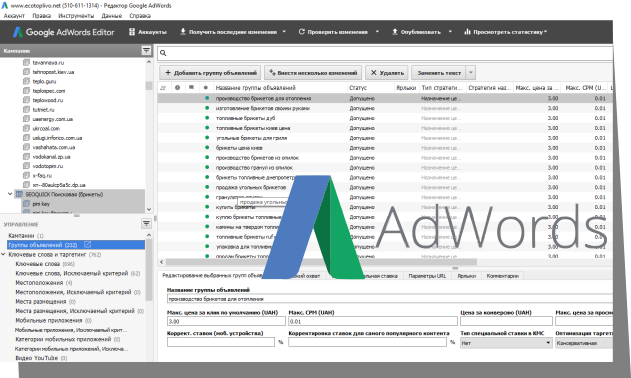
Personally I use both the browser and AdWords Editor.
I described the setup step by step in my hour-and-a-half video.
All campaign settings and uploads I usually do both in the AdWords interface and in AdWords Editor.
The utility is very convenient and clear.

To upload a campaign into this utility, we created a special service that lets you do it in a few clicks.
The utility is currently undergoing a redesign, but even in the old interface it lets you create a campaign in a few actions.
Of my recommendations, I'll highlight the following:
- Put at least three different ads in one group. Make the description and headline texts different.
- The text in descriptions can be rearranged.
- Add numbers to the text. This greatly helps conversions.
- Don't forget the USP. The entire USP should be reflected directly in the ad body.
- Clearly spell out the offer in one of the descriptions. What, for how much, and how to get it.
- For each ad, spell out sitelinks, callouts, the company phone.
In the end you can always check yourself how the ad looks in the finished version in the browser:

But AdWords doesn't stand still.
And it introduces new ad types beyond the banal expansion of fields in them.
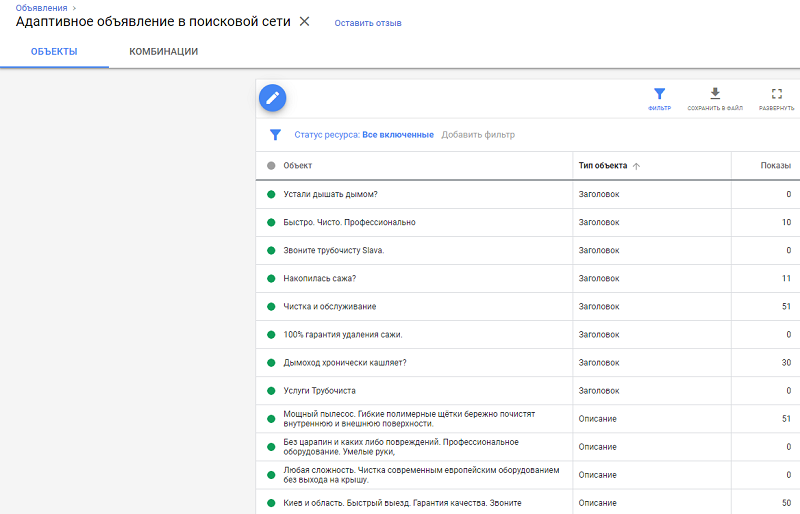
These are responsive search ads — they appeared at the end of 2018 and became a mandatory element when setting up search campaigns in AdWords.
I've already talked about this ad type in my video.
For new clients we already set up the new ad type by default.
If you don't have this kind of ad, write in the comments why you don't use it.
By spelling out different combinations of headlines and descriptions, the system will show the most optimal combinations.

And the performance of each of them can be tracked, and ineffective combinations rewritten!

It's also important to pay attention to the bidding strategy, ad-show time and geography.
My decision is always one: the bidding strategy — top positions.
Without impressions at the top, small business can't catch the needed clicks.
Recently Google plans to abolish the clear position in the upper part of search.
Instead of average position, the percentage of impressions received at the top position and in the upper part of the page in the search network will be used.

But don't be petty — if your clicks are "at the bottom", you simply won't get traffic.
So just set a higher bidding strategy for the "learning" period.
CTR ultimately determines the potential cost per click, and it can be lower than even the one you declared in the strategy.
If it's a bit unclear to you what you pay for in AdWords, in this video I tried to answer such a question (text version).
But you'll say, the cost of clicks can be sky-high?
There are many tricks for catching clicks cheaper.
Here are some of mine:
- Split the campaign additionally into morning and evening with separate budgets. Usually in the evening advertisers can "fall off" because budgets run out, and in the morning they haven't appeared yet.
- Use pinpoint targeting. For example, if your city or region is too large and you simply don't serve all districts. Narrow the coverage area this way.
- Segment keys by traffic if the campaign eats the budget too fast. Single out low-frequency queries (that simply didn't work) and move them to a separate campaign. Give them a separate budget (apart from the main campaign).
- Single out high-conversion keywords and give them a separate budget. Use different conversions (a successful visit, a call attempt, an order on the site, a transition to the contacts section).

Be sure to check the campaign after it passes moderation.

Step 5. The Display Network and remarketing
As I said, the advertising strategy should work toward branding.
You can run Display by interests, by keywords, by age segments, and by regions.
But it works much worse.
The most conversions came precisely from search campaigns and remarketing itself.
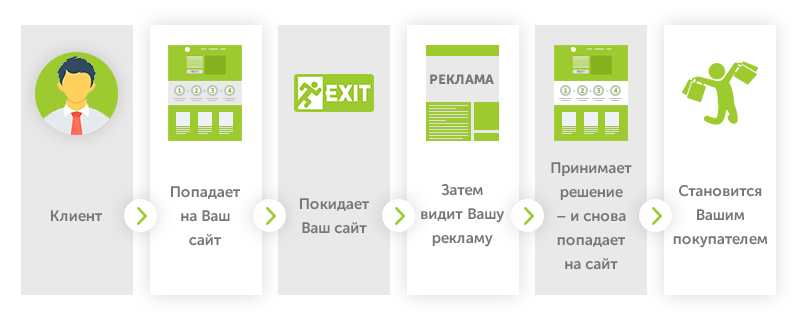
Briefly: the remarketing scheme is simple.

The client lands on your site and leaves it.
Then they see your ad.
At some point they make a decision — and land on it again.
And here they become your buyer.
Usually the banner is visible while the client studies competitors and visits topical sites.
On which AdSense is installed.

If the client visited your site but didn't convert — "chase" them with ad banners.
This is easy to do in Google Analytics — by creating such an audience.
And remember.
Here it's the banner that sells, not the keywords.
Why is retargeting better? Here are a few facts:
- Remarketing CTR is 10 times higher! Usually CTR is 0.7%, while ordinary Display is 0.07%.
- The conversion rate (CTA) from remarketing is 147% higher than from ordinary Display.
- The number of people who return to the site again and place an order increases by 26%.
How to make ads for remarketing?
We recommend doing both options — in HTML format (so-called responsive ads) or graphic ads (a static image or GIF).
They can be made in a builder or directly in Google Ads.

What to consider?
- Company name
- Logo
- A clear image is a must. Don't make extra pictures: 1 picture — 1 product.
- Don't clutter the banner.
- Spell out the benefit right in the headline.
- In the description — the product's unique advantages.
- Don't forget about prices, discounts, "urgency effects". You need to sell the product now, not in a year.
WHAT YOU WILL GET
| What you get (if you repeat the system) | Benchmark |
| Search-campaign CTR | ~10% |
| Remarketing CTR | 0.7–1.2% |
| Deal conversion | 2%+ |
| On-target keywords | 85% free of irrelevant queries |
These are benchmarks from SEOquick campaigns for small business, not guaranteed values — the result depends on the niche and the sales channel.
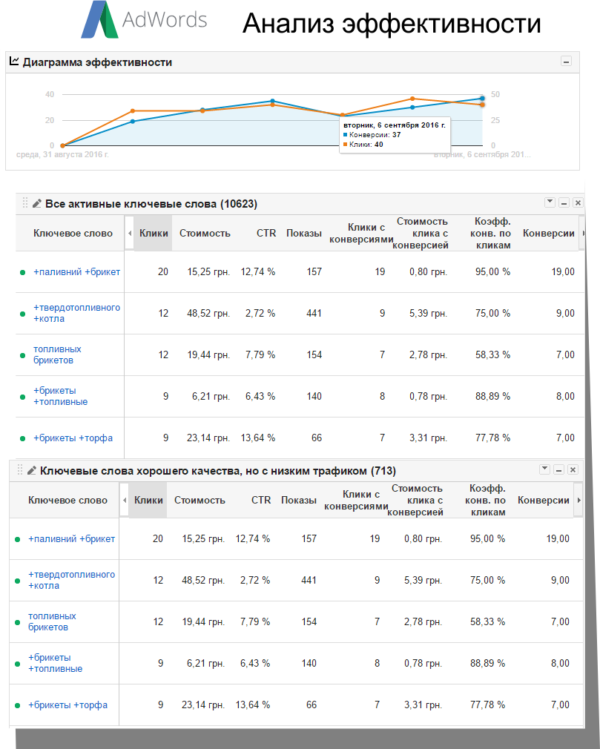
After 7 days you can calmly start analyzing keywords and do additional negative-keyword work (you can track it in Google Analytics; for convenience link AdWords and Analytics together).
If it worked out for you like it did for us, you'll get the following metrics:
- CTR for direct search campaigns around 10% (this corresponds to the first screen in most cases and shows that your ads are attractive).
- CTR for remarketing around 0.7-1.2%. This shows that you chose good placements and have a stylish, attractive banner.
- You get branded traffic. So your business becomes better known.
- The average deal conversion rate suits you and is 2% and above.
- The keywords that bring clients don't contain irrelevant queries in 85% of cases.
You should understand that if the conversion metrics don't suit you, you should first look for the reasons in the sales channel.
Since AdWords settings are easy to check.
But if the reason isn't there, check whether you're losing out to competitors after all.
You should first of all be competitive on value.
And how to prepare the site — see in this video:
And what results did you manage to achieve?
Write in the comments!
Project team
The project was handled by the SEOquick team:
- Alyona Polyukhovich — paid search & targeting (PPC + Meta)
Full team and roles — on the About page.
What's next
A similar performance case with real numbers: Lead generation via Meta Ads ($2–3 per lead).
Want to launch paid search for your business? The concrete next step is to try our free keyword generator and AdWords generator, or get an audit.