How to Track AI Traffic in GA4: ChatGPT, Gemini, Claude, Perplexity
Customers already arrive from ChatGPT and Gemini — you just cannot see them: they hide inside Direct. Here is what the new AI Assistant channel in GA4 does, what it does not, and how to build a report in 15 minutes that shows the money AI actually brings.


I will look at your site and answer your questions on the topic of this article. 30 minutes, no slide decks, no pressure.
Book a consultationTo see AI traffic in GA4, enable the built-in AI Assistant channel (active since May 13, 2026) and add a custom channel group with a regex for sources like chatgpt.com, perplexity.ai, claude.ai, gemini.google.com, and copilot.microsoft.com. Without that second step, you’ll lose Perplexity and all historical traffic prior to May 2026.
It’s a situation I see with every other client. An owner looks at the analytics: organic is down, "Direct" is up. They conclude—"guess the brand's getting stronger." In reality, ChatGPT just sent them the highest-paying visitors of the quarter, and they didn't show up in a single report.
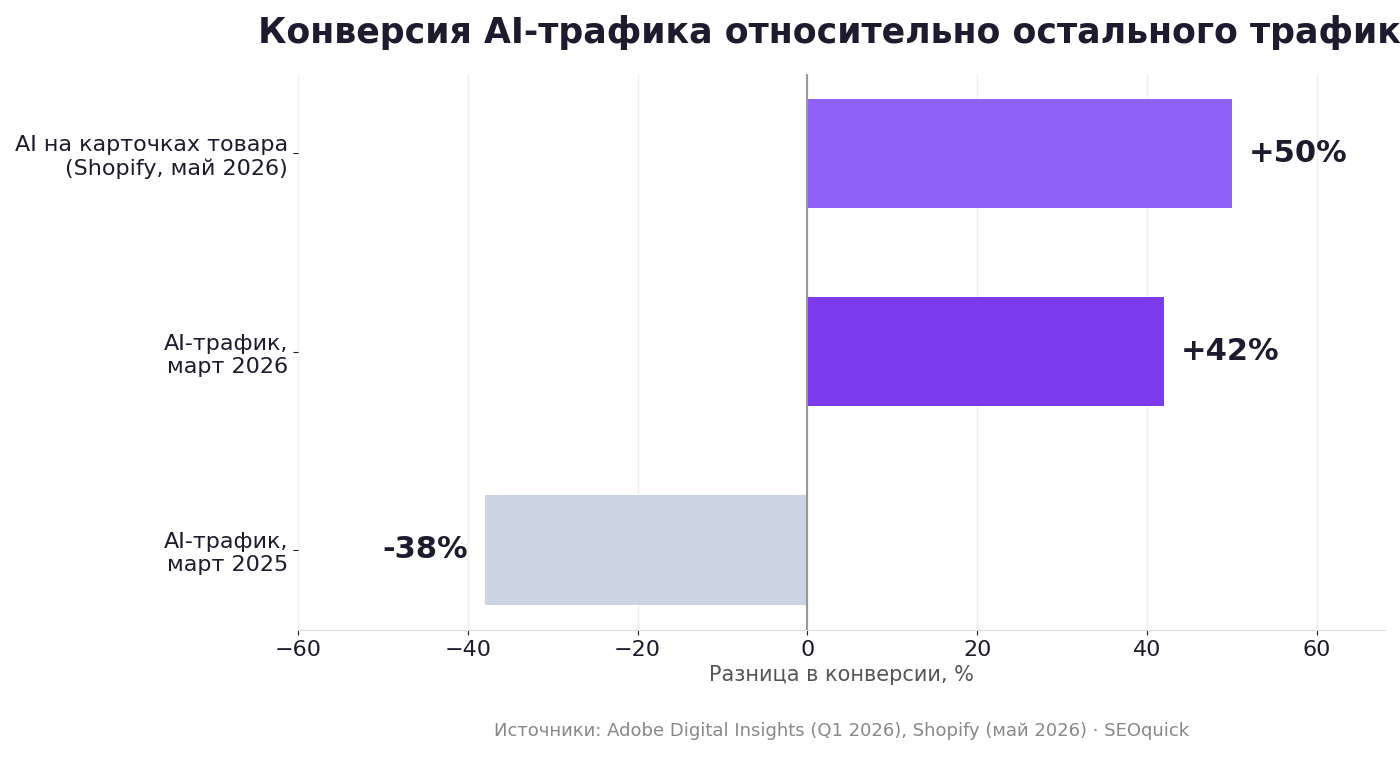
And this isn't some minor detail in the margins. According to Adobe Digital Insights data, in March 2026, traffic from AI assistants converted 42% better than everything else—despite converting 38% worse just a year prior. This isn't a "few percent increase," it's a total pivot. A channel you don't measure is a channel you don't invest in.
Why AI traffic is still "invisible"
There are several reasons, and each has its own fix. First, referrers get lost: when someone clicks a link inside a chat, the browser doesn't always tell the site where they came from. Between 35% and 70% of AI sessions arrive without any referrer at all, dropping into "Direct / None"—classic behavior for ChatGPT and Gemini mobile apps, link copy-pasting into messengers, and desktop clients. Second, until May 2026, GA4 simply didn't recognize these sources: it dutifully dumped chatgpt.com into "Referral" along with forums and aggregators, with no separate line in the report. And third, AI Overviews aren't referrals at all: a user coming from an AI overview in Google Search shows up as standard Organic Search, and you can't separate them from a blue link click using out-of-the-box tools.
"The situation changes very fast: data shows AI search results can shift by 40–60% within a single month. So, if you want results—verify."
— Nikolay Shmichkov
What the new AI Assistant channel in GA4 actually does
On May 13, 2026, Google added a native AI Assistant channel to the default channel group in GA4; by early June, it rolled out to most properties. You don't need to configure anything—it appears in "Traffic Acquisition" reports on its own, and ChatGPT, Gemini, Copilot, Grok, and Deepseek now show up as a separate line. But it has three limitations Google doesn't put in bold print. Perplexity isn't included in the channel and keeps falling into Referral—and that's one of the hottest sources for intent. There's no retroactive data—the channel doesn't re-tag history, so everything before May 13, 2026, stays in Referral and Direct. And it doesn't save sessions without a referrer: no referrer, no channel, traffic still goes to Direct. The conclusion is simple: the built-in channel is a nice display, but it’s not a measurement system. You still need to build your own channel group.
How to set up a custom channel group: step-by-step
Takes about fifteen minutes; property admin rights are required.
- GA4 → Admin → Data display section → Channel groups.
- Click Create new channel group. Name it something like "SEO + AI."
- Add a new channel AI Traffic. Condition: Source → "matches regex."
- Paste this regex:
.*(chatgpt\.com|chat\.openai\.com|openai\.com|perplexity\.ai|claude\.ai|gemini\.google\.com|copilot\.microsoft\.com|edgeservices\.bing\.com|deepseek\.com|grok\.com|meta\.ai|you\.com).* - Most important part. Drag the AI Traffic channel above the Referral channel. GA4 checks rules from top to bottom: if Referral triggers first, all your tagging is useless.
- Save. Data will recalculate retroactively—unlike the built-in channel, a custom group sees history.
A couple of pitfalls people trip over. In GA4 channel groups, there are two similar conditions—"partially matches regex" (works like "contains") and "matches regex" (requires the full string to match); the regex above is wrapped in .*(…).*, so it works either way. Don't add a naked bing.com to the list—it'll suck in all of Bing's organic traffic; the Source dimension only contains the host, no path, so patterns like bing.com/chat will never match. And data won't appear instantly: it takes up to 24–48 hours to recalculate the channel group. In the "Traffic Acquisition" report, don't forget to switch the dimension from the default group to yours—the custom one doesn't replace the standard one, it lives alongside it. This set of sources covers over 99% of measurable AI referral traffic as of mid-2026; review the regex once a quarter, the chatbot list changes faster than Google’s documentation.
How to dig out AI traffic hiding in Direct
The regex only catches those who passed a referrer. The rest—up to 70%—are sitting in Direct. You can't recover them completely, but you can estimate. The easiest way is to use UTM tags on content that AI cites: if you publish on external platforms, forums, or PR articles, the neural network will copy the URL in full, tags and all. Next, a "suspicious Direct" segment helps: set a condition in GA4 for "channel = Direct, landing page = deep internal page, new user." A live direct visit to a blog post from the middle of your archive that the person has never seen before is almost always a chatbot. Compare the dynamics of this segment with the dates you ramped up AI visibility. And the most honest source is server logs: you can see the crawlers (GPTBot, PerplexityBot, ClaudeBot) and the transitions there. If your hosting gives access to access logs, it's the only way to see the full picture.
What to look for in the report so you don't fool yourself
This is where business owners hit the main trap. In absolute numbers, AI traffic is still tiny—averaging around 1% of total site traffic according to Conductor. It's easy to look at that 1% and decide it's not worth the effort. The mistake is looking at the wrong metric: you need to look at the money.
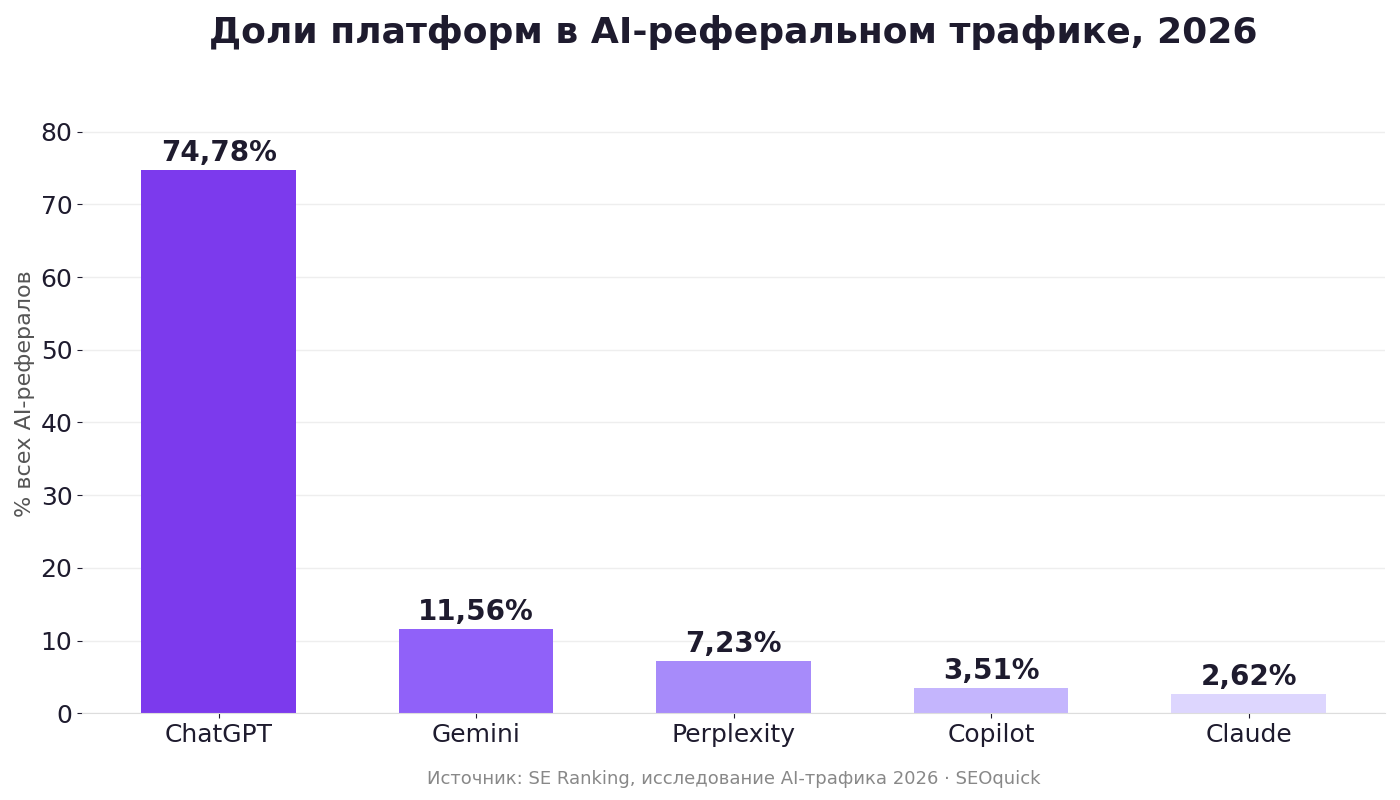
In your AI Traffic channel report, pull up conversions and revenue, not sessions: if 1% of traffic gives you 5% of leads—you don't have a "small channel," you have an underinvested one. Look at landing pages—this is literally a list of materials the neural networks deemed worthy of citation, your ready-made "write more like this" content plan. Break down traffic by platform: ChatGPT takes about 75% of all AI referrals (up to 92% in some measurements), Gemini is a solid second, and a skew toward Perplexity means you're being cited for freshness and sources, not brand. And watch month-over-month dynamics—absolute numbers say little, the trend says everything.
"Traffic conversion from AI search is 4 times higher than from Google. And there's a good reason for that: AI takes over almost the entire top of the funnel—and there aren't really many sales there anyway."
— Nikolay Shmichkov

GA4 isn't the only source. What else to check
GA4 only shows those who actually reached the site. But half the value of AI search is that you were mentioned—even without a click—so you should round out the setup. In Google Search Console in 2026, Google is rolling out separate metrics for AI Overviews and AI Mode: impressions there are partially mixed with regular search, but the trend is readable. AI visibility trackers (SE Ranking, Semrush AI Toolkit, Ahrefs Brand Radar) show which queries neural networks are actually citing you for and if your share is growing. And don't forget logs and robots.txt—make sure you aren't blocking GPTBot and PerplexityBot: a blocked crawler means zero AI visibility, and no amount of analytics will help. If you're systematically working on neural network visibility, start with our guide on GEO site optimization for GPT and the breakdown on how to get into the AI Overviews block.
FAQ
Do I need to configure anything for the AI Assistant channel to appear?
No. It's on by default since May 2026 and appears in standard acquisition reports. But it doesn't cover Perplexity, doesn't see history before May 2026, and doesn't save sessions without a referrer—so a custom channel group is still necessary.
Why is my AI Assistant showing almost zero even though my content is clearly being cited?
Usually three reasons: the referrer wasn't passed and traffic went to Direct, you're being cited without a link, or you're being cited inside AI Overviews—which is Organic Search, not a separate channel. Check the "Direct plus internal landing page plus new user" segment.
Is it worth investing in a channel that only gives 1% of traffic?
Don't look at traffic; look at conversion and revenue. If 1% of sessions brings 4–5% of leads, your cost per acquisition for this channel is the lowest on the site. Plus, the trend: AI referrals have grown more than 8x in a year.
What to do this week
Don't push this to the backlog—setup takes one evening, and data only accumulates from the moment you turn it on. Check if you have the AI Assistant channel in your GA4 "Traffic Acquisition" report. Create a custom channel group with the regex above and move AI Traffic above Referral. Build an "AI Traffic channel → conversions, revenue, landing pages" report. Check robots.txt for AI crawler blocks. And in a month, compare the AI channel's conversion with organic—you'll likely be surprised. Need help setting up analytics and AI search visibility? Drop us a line, we'll look at your case.
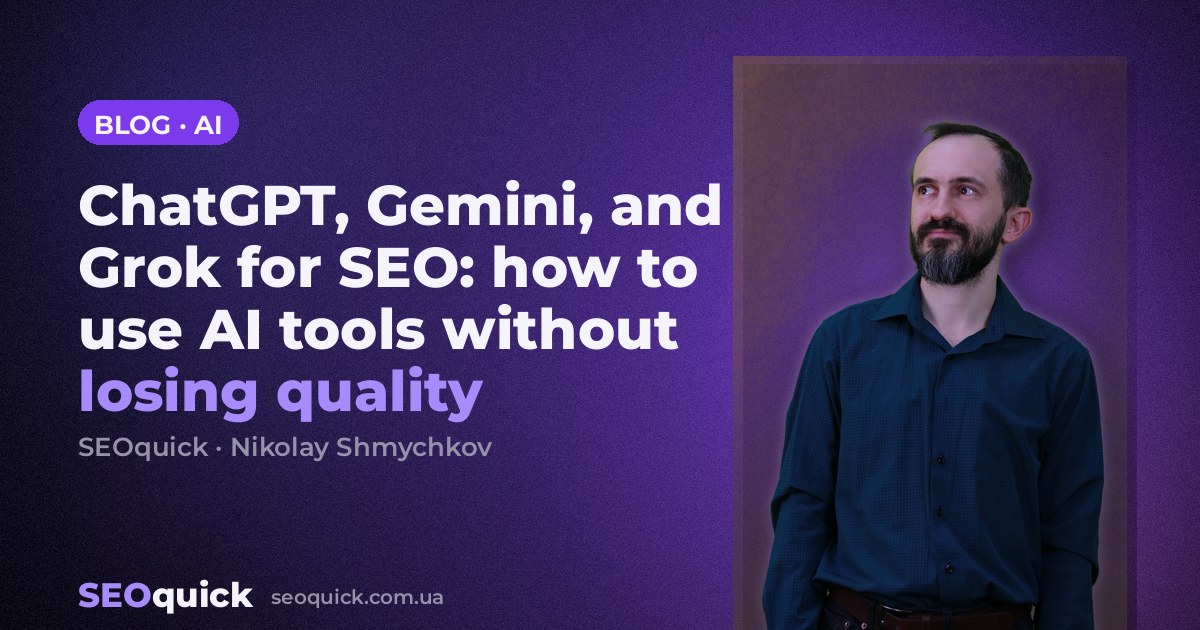
ChatGPT for SEO in 2026: 8 Ready-Made Prompts, Limits, and How to Rank in AI Search
How to use ChatGPT for SEO in 2026: the GPT-5.5 lineup, 8 ready-made prompts, limitations, comparison with Claude and Gemini, and getting cited in AI answers.
Read →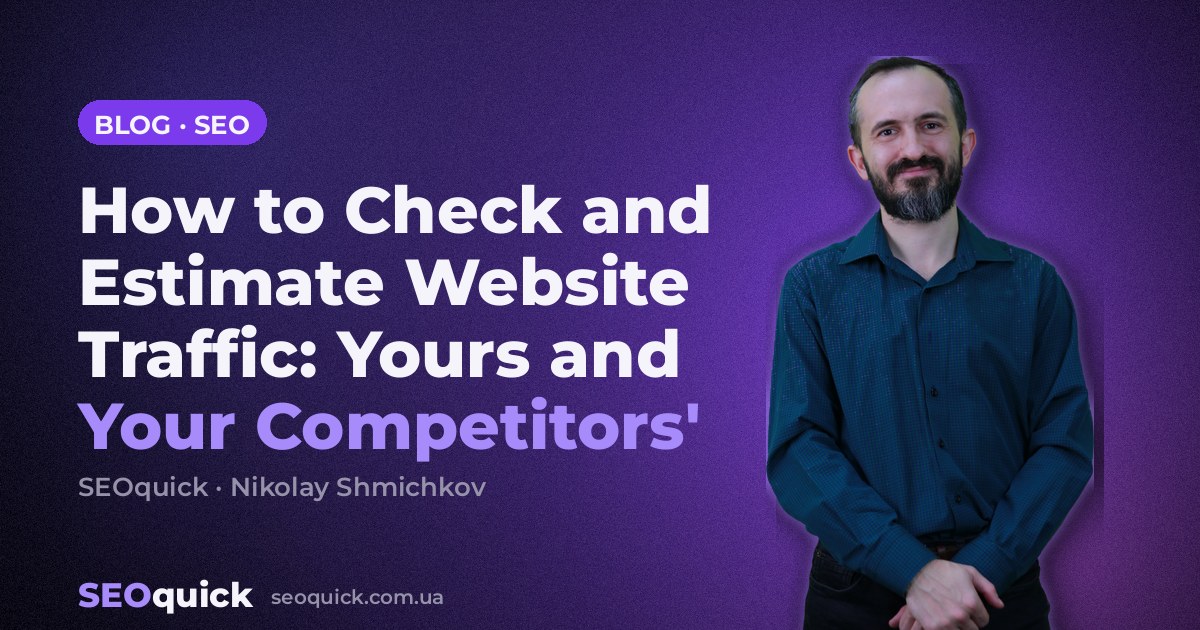
How to Check and Estimate Website Traffic: Yours and Your Competitors'
How to check your own website traffic and your competitors': GA4, Search Console, Similarweb, Ahrefs, Serpstat — plus how to track visits from ChatGPT and AI search.
Read →
How to Build a YouTube Channel for Business in 2026: A Step-by-Step Growth Guide
Who needs their own YouTube blog and how to launch a channel for business in 2026: niche, Shorts vs long-form, YouTube SEO, AI tools, analytics and monetization.
Read →Want to apply this to your site?
We will review the current situation, find the first growth levers, and suggest a practical working format.