Ahrefs Review 2026: Pricing, AI Features, and When It's Worth the Money
In 2026, Ahrefs is no longer just a backlink database — it's a full stack of SEO modules and AI analytics priced from $29 to $1,499 per month. Here's what's inside, where the tool actually pays for itself, and where free Google tools are all you need.


In 18 years of doing SEO, I’ve seen dozens of tools that promised to be “all in one.” Most of them are dead. Ahrefs didn’t just survive — it became the industry standard for backlink analysis and one of the two platforms (alongside Semrush) that are hard to imagine agency work without, especially in Western markets.
But the Ahrefs of 2026 is a very different product from the one we reviewed years ago. Everything has changed: the pricing grid, the billing model (hello, credits and overage charges), and a whole AI layer has appeared — Brand Radar, AI Content Helper, and brand visibility tracking across ChatGPT and AI Overviews.
In this review: what Ahrefs can do today, what it really costs once you factor in the hidden extras, how it stacks up against Semrush and Serpstat, and the big question — when it’s worth the money, and when the free combo of Google Search Console + Keyword Planner is enough.
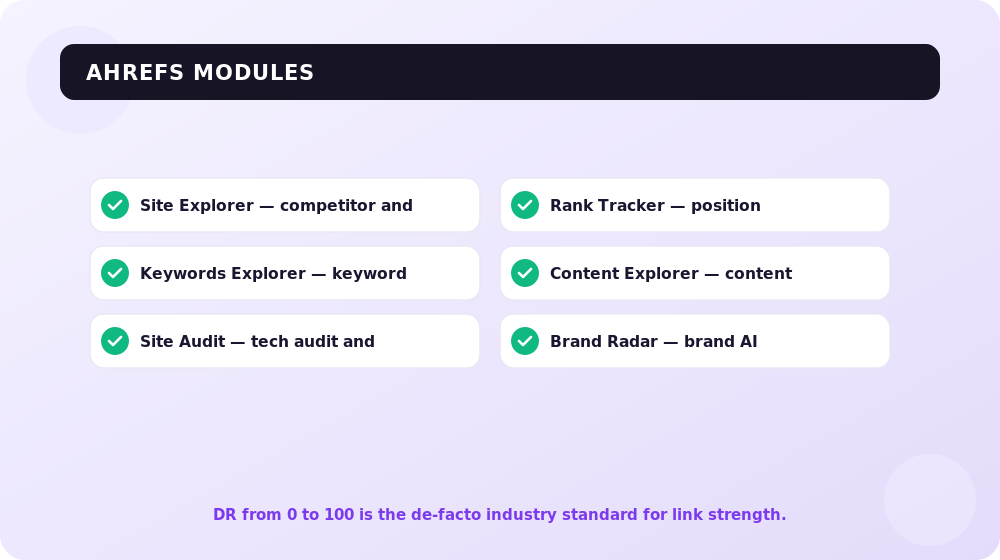
Ahrefs is a platform for SEO and AI analytics: backlink and competitor analysis (Site Explorer), keyword research (Keywords Explorer), technical audits (Site Audit), rank tracking (Rank Tracker), and brand visibility monitoring in AI answers (Brand Radar). The 2026 plans run from $29 (Starter) to $1,499 (Enterprise) per month, with a free Ahrefs Free plan for site owners.
What Ahrefs Is in 2026
Historically, Ahrefs grew out of a backlink crawler — and its AhrefsBot is still the second most active crawler on the internet after Google. That’s its core competitive advantage: a proprietary link index that updates continuously, rather than licensed third-party data.
Today the platform consists of four classic modules plus an AI layer:
- Site Explorer — analysis of any domain: backlink profile, organic traffic, keywords, paid search.
- Keywords Explorer — keyword research: search volume, difficulty (KD), clicks, clustering.
- Site Audit — technical site audits: crawling, errors, Health Score.
- Rank Tracker — position tracking by keyword and region.
- Brand Radar and AI tools — brand visibility in ChatGPT, Gemini, Perplexity, AI Overviews, and other AI platforms.
Plus a dozen supporting tools: Content Explorer, Batch Analysis, Link Intersect, Content Gap, Web Analytics, Looker Studio connectors, an API, and even its own MCP server for integrating with AI assistants.
For verified projects (ownership confirmed via GSC or DNS), Ahrefs shows extended data — and the number of verified projects is unlimited even on the lower-tier plans. That’s an important detail few people know about.
Ahrefs Pricing in 2026: What It Actually Costs
Here’s the pricing grid on ahrefs.com/pricing in 2026 (billed monthly; annual billing saves up to 17%):
| Plan | Price/mo | Best for | Key limits |
|---|---|---|---|
| Starter | $29 | Beginners and micro-projects | Stripped-down access to core reports, tight credit limits |
| Lite | $129 | Small businesses, personal projects | 5 projects, 750 keywords in Rank Tracker, 100,000 crawl credits, 6-month history, 1,000 credits/user |
| Standard | $249 | Freelancers and consultants | 20 projects, 2,000 keywords, 500,000 crawl credits, 2-year history, Content Explorer, Batch Analysis |
| Advanced | $449 | In-house teams | 50 projects, 5,000 keywords, 1.5M crawl credits, 5-year history, Looker Studio |
| Enterprise | $1,499 | Corporations and large agencies | From 3 users, unlimited history, uncapped API, SSO, exports from 10M rows |
Starter is a relatively new $29 entry-level plan: it lets you get a feel for Site Explorer and Keywords Explorer with minimal limits. Fine for one-off checks and learning; not fine for regular work.
The Credits Model and Hidden Costs
The biggest pain point of modern Ahrefs is that the plan price doesn’t equal your actual bill. Here’s what you need to know before paying:
- Credits on Lite. On the Lite plan, each user gets 1,000 credits per month: opening a report, applying a filter, exporting — everything burns credits. An active specialist runs through them in a week or two. On Standard and above, credits are unlimited — which effectively forces anyone who works in the tool daily onto the $249+ tier.
- Pay-as-you-go (PAYG). If you enable extra credits and data, Ahrefs automatically charges you when you exceed your plan limits — row exports, crawl credits, API units. Purchased PAYG packs live for three billing months, then expire.
- Per-seat charges. Each plan includes one user. Additional seats cost $40/mo on Lite, $60/mo on Standard, $80/mo on Advanced, and $100/mo on Enterprise. A three-person team on Standard isn’t $249 — it’s $369 a month.
- Paid add-ons. Content Kit (AI Content Helper + Content Grader) — from $99/mo. Report Builder (50 reports, scheduling) — $99/mo. Project Boost Pro — $20/mo per project (always-on audits, auto-IndexNow, AI content detection), Project Boost Max — $200/mo per project.
My practical takeaway: a realistic agency budget for Ahrefs in 2026 is the plan price plus 20–50% for seats and add-ons. Build that into your numbers before you buy, not after the first invoice.
One more nuance straight from the company’s own FAQ: Ahrefs doesn’t do discounts or sales on principle, and refunds are only issued if you haven’t used the account at all.
The Free Ahrefs Free Plan (Formerly Ahrefs Webmaster Tools)
Ahrefs Webmaster Tools has been renamed Ahrefs Free — and it’s the best free “sampler” of the platform. After verifying ownership of your site, you get:
- Site Explorer for your own domain — backlink profile, referring links, organic keywords (with row limits);
- Site Audit for your own site — regular crawls and a Health Score;
- basic site visibility data.
You can’t analyze other people’s sites for free — that’s the whole point. But for the owner of one or two sites who wants to see their backlinks and technical issues, Ahrefs Free covers 60–70% of the need. Start there: if you hit the limits, you’ve outgrown it and are ready for a paid plan.
The Core Modules: What’s Inside
Site Explorer — Competitor and Backlink Analysis
The heart of Ahrefs. Enter any domain and you get the full picture: where its links come from, which keywords drive traffic, which pages bring the most visitors, and what the competitor spends money on in paid search.
The key reports we use daily:
- Backlinks — every backlink with anchors, type (dofollow/nofollow), discovery date, and the referring domain’s DR.
- Referring Domains — linking domains with filters by DR, traffic, and language.
- Organic Keywords — which queries the domain ranks for and at what positions.
- Top Pages — the pages that lead on traffic: a ready-made list of “what to write about” ideas.
- Best by Links — which competitor content attracts links naturally.
The DR (Domain Rating) metric — a 0–100 score of a domain’s backlink profile strength — has become the de facto industry standard: it’s quoted in guest post price lists and link builders’ briefs worldwide. Just remember: DR is an Ahrefs metric, not a Google one. A high DR doesn’t guarantee rankings.
Keywords Explorer — Keyword Research
The Ahrefs database covers hundreds of countries — including smaller markets like Ukraine — so you can build keyword lists for virtually any regional version of Google with local search volumes.
What to look at in a keyword report:
- Volume — search volume in the selected country;
- KD (Keyword Difficulty) — keyword difficulty from 0 to 100, calculated from the backlink profiles of the top 10 ranking pages. A handy filter for quick wins: KD under 10–15 with decent volume;
- Traffic Potential (TP) — how much traffic the top-ranking page for this keyword gets from all of its queries combined. Often more useful than Volume: a single piece can rank for hundreds of long-tail terms;
- Parent Topic — tells you whether the keyword needs its own page or can be covered by an existing one;
- SERP overview — the live SERP for the keyword with metrics for every top-ranking page.
In 2026, Keywords Explorer gained AI suggestions and automatic clustering by intent and topic groups (on Standard and above) — the tool now handles the grunt work of grouping keywords for you.
Site Audit — Technical Audits
The crawler scans your site and produces a Health Score — the percentage of “healthy” URLs — plus a prioritized list of issues: broken links, redirect chains, duplicate titles, slow pages, hreflang and structured data problems.
Limits are tied to your plan’s crawl credits: 100,000/mo on Lite, 500,000 on Standard, 1.5M on Advanced. For a typical corporate site or an online store of up to 50,000 pages, Standard is enough. With the Project Boost add-on, audits become always-on: the site is recrawled continuously rather than on a schedule.
Rank Tracker — Position Monitoring
Tracks keyword positions in Google for desktop and mobile, broken down by country and city. Limits: 750 keywords on Lite, 2,000 on Standard, 5,000 on Advanced; updates are weekly on all plans.
The weekly update cycle is a weak spot: Semrush and Serpstat update positions daily. If you need daily monitoring (say, in a competitive commercial niche), you’ll have to supplement Ahrefs’ Rank Tracker with a third-party service — on such projects we use dedicated rank trackers and keep Ahrefs for links and keyword research.
Ahrefs AI Features: Brand Radar and AI Content Helper
The biggest shift of the past two years: Ahrefs has gone all-in on AI analytics. And it makes sense — more and more users get their answers not from “ten blue links” but from ChatGPT, AI Overviews, and AI Mode.
Brand Radar — Brand Visibility in AI Answers
Brand Radar is a tool for tracking brand mentions in AI platform answers. The Ahrefs database counts over 271 million organic prompts, against which the service records which brands and sites get cited in the answers of six AI platforms (Google AI Overviews, AI Mode, ChatGPT, Perplexity, Gemini, Copilot) and on YouTube.
What this gives you in practice:
- you see which AI answers mention your brand and site — and which mention your competitors but not you;
- you track your own custom prompts (for example, “best SEO agency in Ukraine” for our market) across platforms and locations;
- you learn which of your content LLMs actually cite — and double down on it.
Brand Radar is sold both as a standalone product from $199/mo (without a full Ahrefs subscription) and is included in the main plans with custom prompt limits: 5 on Lite, 10 on Standard, 20 on Advanced. Extra custom prompt packs are purchased separately — from $50/mo for 2,500 checks.

SEOquick experience. AI visibility is no longer theory — it’s a measurable channel. In our medical website case study, the clinic’s pages appear in Google’s AI answers for 26,714 queries — alongside a top-2 position in classic search for “dental clinic Kyiv.” We deliberately built the content Google is willing to cite in AI answers around direct-answer formatting and structured data.
AI Content Helper and Content Kit
AI Content Helper analyzes the SERP for a keyword, breaks it down into intents and topics, and suggests which subtopics your text needs to cover, scoring topic coverage in real time. Bundled with AI Content Grader (which scores a finished text against competitors), it’s sold as the Content Kit add-on from $99/mo.
Honestly: for non-English content — we work a lot with Ukrainian — the value is still moderate; the recommendations are noticeably stronger in English. For content teams targeting the US and European markets, the add-on is justified; for local-language content, probably not.
Ahrefs vs Semrush vs Serpstat: An Honest Comparison
At our agency we use all three tools — each has its role. Here’s the comparison as of 2026:
| Criterion | Ahrefs | Semrush | Serpstat |
|---|---|---|---|
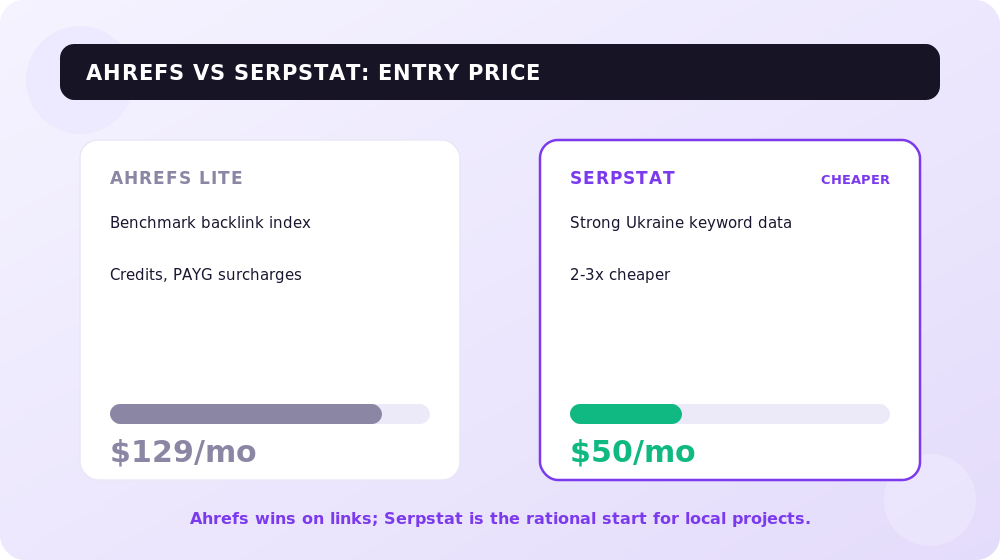
| Entry price (full-featured plan) | $129/mo (Lite) | ~$140–150/mo (Pro) | ~$50–60/mo |
| Strength | Link index, KD, Traffic Potential | All-in-one: SEO + PPC + content + social | Price; Ukrainian/Eastern European keyword data |
| Keyword database | Huge, strongest in Western markets | Comparable, strongest in the US | Smaller, but good for Ukraine |
| Backlink index | The benchmark | Good | Weaker |
| Rank updates | Weekly | Daily | Daily |
| AI analytics | Brand Radar (271M prompts), standalone from $199 | AI toolkit, Semrush One | Basic AI features |
| Credit model | Credits on Lite, PAYG overages | Unit-based limits | Row limits |
| Best for | Link building, competitor analysis, Western markets | A universal suite for marketing teams | Budget SEO for Ukrainian projects |
My conclusions from daily practice:
- Backlinks — Ahrefs is unrivaled. If your work is link building, link audits, or vetting link prospects, there’s no alternative matching its index quality.
- Versatility — Semrush. If you need one tool for SEO, PPC, and content at once, it covers more ground.
- Budget and Ukraine — Serpstat. For local Ukrainian projects on a tight budget, it’s the most rational starting point: its Ukrainian keyword data is solid, and it costs 2–3 times less.
When Ahrefs Is Worth the Money — and When GSC + Keyword Planner Is Enough
The most honest section of this review. Ahrefs is powerful, but $129–449 a month has to pay for itself. Run yourself through this checklist.
The free combo of GSC + Keyword Planner (+ Ahrefs Free) is enough if:
- you have one site of your own and don’t analyze competitors systematically;
- you build keyword lists from your own data: Google Search Console shows the real queries you already appear for, and Keyword Planner provides volumes for new topics;
- you’re not actively building links — the backlink list from GSC and Ahrefs Free will do;
- your tools budget is under $50/mo.
Ahrefs becomes essential when:
- you build links and need to vet prospects: DR, traffic, and the site’s backlink profile before paying for a placement;
- you analyze competitors: their keywords, content strategy, link sources — GSC tells you nothing about other people’s sites;
- you run multiple client projects and need reports, history, and before/after comparisons;
- you’re entering competitive Western markets, where without competitor analysis your budget burns on testing guesses;
- AI visibility matters to you: neither GSC nor Keyword Planner will show whether ChatGPT cites you.
A simple rule: Ahrefs pays for itself when you make money analyzing other people’s sites — competitors, link prospects, clients. If you only work on your own site, start with the free tools and Ahrefs Free.
Practical Scenarios: How We Use Ahrefs at the Agency
Scenario 1. Link Audit and Disavow
The classic task when taking on a new project: figure out what’s going on with the site’s links. The workflow:
- Export all linking domains from Site Explorer → Referring Domains.
- Sort by DR and traffic: domains with DR < 10 and zero traffic are candidates for manual review.
- Check the anchor list (the Anchors report): an overload of commercial anchors is the biggest red flag.
- Review the trend in Referring Domains: sharp spikes of new domains often mean a spam attack or the work of previous contractors.
- Build the list of toxic domains and decide whether a disavow is needed.
An important 2026 caveat: Google has been saying for several years that its SpamBrain algorithm devalues spam links automatically, and disavow is only needed for manual actions. In practice, we submit a disavow file in just two cases: a manual action in GSC or a clear negative SEO link attack. In all other cases we leave it alone: a sweeping “preventive” disavow can cut off working links too.

Scenario 2. Reverse-Engineering a Competitor’s Strategy
When we enter a new niche, the first thing we do is “dissect” the SERP leader:
- Site Explorer → Overview: overall traffic and link trends. Is it growing? Since when? What coincided with the growth?
- Top Pages: which pages feed the site its traffic. This is the niche’s priority map.
- Organic Keywords filtered to positions 1–3: the core the competitor has already won.
- Best by Links: which content earns links on its own — your skyscraper candidates.
- Referring Domains: where the competitor gets links — media, directories, guest posts, partnerships.
An hour of this work saves months of testing on your own budget.
SEOquick experience. Competitor analysis in Ahrefs is exactly how our case study of an English-language review site in the weight loss niche (US market) began: we dissected the content and link strategies of the niche leaders, rebuilt the structure and content — and grew from 100,000 to 700,000 visits per month in 6 months, entering SimilarWeb’s top 75 in the US Health/Nutrition category.
Scenario 3. Link Intersect — Who Links to Competitors but Not to You
Link Intersect is my favorite tool for building a quick prospect list. The logic is simple: enter 2–3 competitors and your own domain, and the tool shows the sites that link to all the competitors but not to you. If a domain links to three of your competitors at once, your odds of landing a link are at their highest: the site clearly covers the niche and is open to placements.
We filter the resulting list by DR 30+ and organic traffic of 1,000+/mo — and get a ready-made outreach database.
Scenario 4. Content Gap — The Keywords You’re Missing
Content Gap solves the mirror-image problem for content: which keywords competitors rank for that you don’t. Enter your domain and 2–4 competitors, filter for keywords where at least two competitors are in the top 10 and you’re nowhere at all — and you get a quarter’s worth of content plan based on proven demand, not guesswork.
In 2026 this scenario has become twice as valuable: pages that close keyword gaps with direct, structured answers make it not only into classic search results but also into AI answer citations.

SEOquick experience. Systematic, Ahrefs-driven link building isn’t theory. In our SWEETCV case study, we built a Scholarship link building campaign (links from .edu domains) and, combined with usability improvements, grew from 10,000 to 55,000 visits per month. Every prospect was vetted in Site Explorer before placement: DR, traffic trend, quality of outgoing links.
The Downsides of Ahrefs You Should Know Before Buying
So this review doesn’t turn into an ad, here are the weak spots:
- The price grows faster than the value for small businesses. Real work starts at Standard for $249 — often overkill for a small local project.
- The credits model on Lite is irritating. 1,000 credits per user burn fast, and PAYG overage charges kick in automatically if enabled and left unwatched.
- Weekly rank updates versus daily at competitors.
- Traffic numbers are estimates. The organic traffic figures in Site Explorer are a model based on positions and search volumes; a 2–5x gap versus real analytics is normal. Use them to compare sites against each other, not as absolute truth.
- AI features are split into paid add-ons. Brand Radar with tight prompt limits, Content Kit, Report Builder, Project Boost — all cost extra.
Conclusions
In 2026, Ahrefs is the best tool for backlink work and competitor analysis, now wrapped in serious AI analytics. Brand Radar, with its 271+ million prompt database, is the most mature way on the market to measure brand visibility in AI answers, and the Site Explorer + Link Intersect + Content Gap combo remains the gold standard of strategic agency work.
But don’t buy it “just in case.” The decision tree is simple:
- Your own site + a limited budget → GSC + Keyword Planner + Ahrefs Free.
- Ukrainian or other local-market projects needing affordable keyword and rank data → Serpstat.
- Link building, Western markets, client projects → Ahrefs Standard and up.
- Need everything at once, including PPC and content marketing → compare against Semrush.
And count the full bill: plan + seats + add-ons + PAYG. Ahrefs is worth its money only when you monetize its data — in links, content, and strategy.
If you’d rather not master the tools yourself — hire us for SEO: Ahrefs, Semrush, and Serpstat are already included in the work on your project.
FAQ
How much does Ahrefs cost in 2026?
The plans: Starter — $29/mo, Lite — $129/mo, Standard — $249/mo, Advanced — $449/mo, Enterprise — $1,499/mo. Annual billing saves up to 17%. Extra users ($40–100/mo), the Content Kit and Report Builder add-ons (from $99/mo), and pay-as-you-go overages are billed on top.
Does Ahrefs have a free version?
Yes. Ahrefs Free (formerly Ahrefs Webmaster Tools) gives free access to Site Explorer and Site Audit for sites you’ve verified ownership of. You see your backlinks, organic keywords, and technical errors. Analyzing other people’s sites isn’t available in the free version. Ahrefs offers no classic trials or discounts.
What is Brand Radar in Ahrefs?
Brand Radar is a tool for tracking brand visibility in AI answers. It analyzes a database of 271+ million prompts and shows how often your brand and site are cited in Google AI Overviews, AI Mode, ChatGPT, Perplexity, Gemini, Copilot, and on YouTube. It’s available within the main plans with limits, and as a standalone product from $199/mo.
Which is better: Ahrefs or Semrush?
For backlink analysis and link building, Ahrefs is better — its backlink index is the benchmark. Semrush is stronger as an all-in-one platform: SEO, PPC, content, and social in a single dashboard, plus daily rank updates. For smaller-budget projects in Ukraine and Eastern Europe, Serpstat is a reasonable alternative to both.
Is Ahrefs suitable for SEO in Ukraine?
Yes. The Keywords Explorer database includes Ukrainian Google results with regional search volumes, Rank Tracker covers Ukraine down to the city level, and the link index covers Ukrainian sites. For purely local projects on a small budget, compare it with Serpstat first — it’s cheaper, and its Ukrainian keyword coverage is solid.
What is KD (Keyword Difficulty) in Ahrefs?
KD is a 0–100 estimate of how hard a keyword is to rank for, calculated from the number of referring domains pointing to the top 10 ranking pages. The higher the KD, the more links you’ll need to compete for the query. It’s a guideline, not a guarantee: KD doesn’t account for content quality, intent, or brand authority, so always check the live SERP.
How to Check and Estimate Website Traffic: Yours and Your Competitors'
How to check your own website traffic and your competitors': GA4, Search Console, Similarweb, Ahrefs, Serpstat — plus how to track visits from ChatGPT and AI search.
Read →
Making Money Online in 2026: Which Methods Actually Work
An honest breakdown of making money online in 2026: why 'easy money with no investment' is a myth, 5 models that actually work, and how to monetize your own site with affiliate and CPA — by SEOquick.
Read →
Best AI SEO Tools in 2026: A Roundup by Task and Price
A 2026 roundup of the best AI SEO tools by task and price: Ahrefs, Semrush, Surfer SEO, ChatGPT, Claude, Profound, Otterly. Which stack to assemble for your budget — a breakdown from SEOquick.
Read →Want to apply this to your site?
We will review the current situation, find the first growth levers, and suggest a practical working format.